I have uploaded a log file, with the ID 46dc326d-3eae-4fd8-ac82-9540e8e1669c
It should show how the midi plugin is reacting to the ~1,300 osc messages when totalmix loads a workspace.
Fantastic find, thoroughly described; thank you. The log file is too large to handle, but I don’t think I need it.
OSC messages are serialized and queued regardless of whether any script is interested, so the delays you describe are likely caused by these queues.
To resolve the issue, I need to move the filter logic closer to the receiving class so that “uninteresting” messages are dropped directly rather than queued.
I’ll take a look at that tomorrow.
Try this version. According to my tests, there should be a considerable performance boost.
It is working great.
Right now, I don’t notice any delay when there’s a burst of data; the change on the Stream Deck button is instantaneous.
Thank you and congrats. It works perfectly.
Will it be possible to establish the OSC connection from a background script, so that the connection is never interrupted when switching profiles or pages?
A background script can establish an OSC connection, but that connection is available only to the background script.
Anything else would either require that the plugin allow only one connection, so that all buttons and dials use the same connection, or a complete connection infrastructure similar to global MIDI ports, but much more complex.
After a good night’s sleep (well, sort of, anyhow), I need to claim the opposite.
There is, in fact, no relationship between who is opening an OSC port and the reception of an OSC message.
That may, in fact, be a flaw in the midiScript implementation of the OSC event, as there is no correlation with the target IP address. I need to add an event variable for the IP address so it’s at least possible to check where the message is coming from.
I need to take a second look at this. As I said, there is no relationship between who opens an OSC port and the receipt of an OSC message. But there is a relationship when sending messages…
I have also been thinking about the current implementation of OSC.
First of all, I should mention that I have no prior experience using OSC; I have always used MIDI. This is my first time working with OSC—in this case, between TotalMix and the MIDI plugin.
I have created a simple new background script that works perfectly for tracking the status of the active TotalMix snapshot:
[(init)                         {outputport:#none#} {inputport:#none#}]
[(init)                         {osc.connect:127.0.0.1,7001,9001}]
[(osc:/snapshot/load/1, 2)      {@TM_snapshotActive:1}]
[(osc:/snapshot/load/2, 2)      {@TM_snapshotActive:2}]
[(osc:/snapshot/load/3, 2)      {@TM_snapshotActive:3}]
[(osc:/snapshot/load/4, 2)      {@TM_snapshotActive:4}]
[(osc:/snapshot/load/5, 2)      {@TM_snapshotActive:5}]
[(osc:/snapshot/load/6, 2)      {@TM_snapshotActive:6}]
[(osc:/snapshot/load/7, 2)      {@TM_snapshotActive:7}]
[(osc:/snapshot/load/8, 2)      {@TM_snapshotActive:8}]
I store the active snapshot in a global variable, which I can then use for any button or dial.
But what happens if I need to have multiple OSC connections across different background scripts, buttons, or dials?
I thought that a viable option would be to number the OSC connections from 0 to 9, allowing for 10 simultaneous OSC connections:
[(init)                         {osc1.connect:127.0.0.1,7001,9001}]
[(osc1:/snapshot/load/1, 2)     {@TM_snapshotActive:1}]
[(init)                         {osc2.connect:127.0.0.1,7001,9001}]
[(osc2:/layout/load/1, 2)       {@TM_layoutActive:1}]
Another option would be to assign a custom name to each connection:
[(init)                             {osc.connect:Totalmix,127.0.0.1,7001,9001}]
[(osc:Totalmix,/snapshot/load/1, 2) {@TM_snapshotActive:1}]
[(init)                             {osc.connect:Korg,127.0.0.1,7001,9001}]
[(osc:Korg,/layout/load/1, 2)       {@TM_layoutActive:1}]
Another configuration that I think would be desirable is the ability to decide whether a connection should close automatically when switching pages or profiles, or whether it should remain open and only be closed manually. A new action could be created to define this:
[(init)                         {osc1.autodisconnect:true}]
[(init)                         {osc1.autodisconnect:false}]
…or…
[(init)                         {osc.autodisconnect:Totalmix,true}]
[(init)                         {osc.autodisconnect:Totalmix,false}]
I’m also an OSC newbie. 
Let me explain the background of how the OSC controller in the plugin is currently implemented, so we have a better foundation for feature discussions.
The OSC connection is no more than a connection between two endpoints on the network. When a script executes the action {osc.connect:“127.0.0.1”, 8000, 8001}, the OSC controller does two things: it establishes the network UDP connection between those ports (if it wasn’t already established), and it registers the script as a callback function to call when a message is received on the input port.
The OSC message contains all OSC information, including the OSC address and any additional arguments. Notably, the OSC address is part of the message and is unrelated to the connection.
This implementation leads to the following consequences:
Over to your suggestions.
You touch on a problem with the current implementation: if a script needs to connect to multiple endpoints. The OSC controller can’t handle this today; i.e., a single script can only connect to one endpoint at a time (…but can have an unlimited number of events, each with different filters). If a script has two connect commands, the second command would simply disconnect the first connection and then connect the second.
I don’t know if this is a required feature; i.e., is it important that a single script should be able to maintain multiple OSC connections to different endpoints simultaneously? Do we have any OSC gurus here who can provide input on this? Changing the OSC controller to handle this is a bigger undertaking than you might expect and would make the syntax more complicated, so I’d rather not implement it unless it’s necessary.
The examples you have do not need this feature since they all use the same connection but with different OSC address filters. With the current implementation of the OSC controller, each script must explicitly call osc.connect to register for message callbacks, so there is no point in keeping a connection open if the script unloads.
An OSC configuration uses specific network ports (UDP). When a device or application begins listening on a receiving port at a given IP address, it locks that port exclusively within the operating system. Consequently, no other software on that same device can use that receiving port while the first application is active.
For this reason, I believe the most important point—above all other considerations—is to keep in mind that when an app or device starts listening on an OSC receiving port, no other app or device on that computer can listen on that same port, because the operating system has locked it for exclusive use.
For example, if I configure TotalMix with the MIDI Plugin using ports 7001 (for sending) and 9001 (for receiving) at the IP address 127.0.0.1, port 9001 becomes exclusively locked by the plugin. I can no longer use any other app on that computer that attempts to listen for or receive data on that same port, 9001.
And, most critically: if I launch both TotalMix and Protokol using ports 7001 and 9001 at the IP address 127.0.0.1, Protokol will lock the receiving port. In this scenario, the MIDI Plugin will be unable to receive any data, even if it successfully executes the commands in its script to establish a connection. The MIDI Plugin will remain “blind” until we close Protokol and it releases port 9001.
Therefore, IMHO, treating OSC within the MIDI Plugin as a system that automatically connects and disconnects on the fly is unreliable and quite counterintuitive. If the closing process fails or is delayed some milliseconds, the next connection attempt might fail because the port is “already in use.”
Furthermore, the approach of repeating the same port configuration multiple times—assigning the same IP and ports individually to every button or dial— seems to me a wrong approach.
I think that the most robust approach is to open the ports once and keep them active for the entire session.
This would mean having a single, permanent “communication channel” (one input port and one output port) at a global level, through which all buttons/dials send and receive their respective commands (their OSC paths).
For the reasons mentioned above, professional devices typically provide multiple independent slots or lines. For instance, TotalMix offers up to four fully separate, configurable OSC connections. This allows you to assign different ports to each one, enabling you to control TotalMix from four applications or devices simultaneously without any network port conflicts.
That said, before anything else, I would consider two questions:
1- How many OSC connections can (or should) the MIDI Plugin offer?
2- How are these connections provided?
I would suggest making between 4 and 8 connections available.
Regarding its configuration, this is a more critical decision.
Ideally, it would be best to be able to configure OSC connections manually within the settings—defining ports and IP addresses- with a button/checkbox to enabling or disabling each one of them. It would then be possible to toggle these connections on or off from midiscripts/javascripts. I believe this design would be quite robust and highly flexible for scripts.
Yes, the thought of having a page in Global Settings similar to global Midi ports, also for global OSC ports, has crossed my mind. It makes things a tad more complex for users with a single script because they need to configure two things instead of just the script, but I still think it’s a valid idea. Scripts still need to connect and disconnect to subscribe to/unsubscribe from message callbacks.
I didn’t get the final message about the locked-port reasoning. Is what you’re saying that you use two different endpoints, that these two endpoints must have different port settings, and that you need to access both endpoints from the same script?
The crucial question here is “…from the same script”. If TotalMix and Protokol are accessed from different scripts, there’s nothing in today’s solution that stops you from using different ports for the programs.
But on the other hand, the question may be irrelevant. If you, as a not-so-experienced OSC user, have two endpoints to work with, the likelihood is high that OSC gurus will have more complex configurations and may need to access multiple endpoints from the same script. This means the script syntax will be more complex, but it may be necessary.
Whether OSC ports are always open or closed when no one is using them is a non-issue. Having a port open when no one is listening is pointless; on the other hand, it doesn’t break anything either. Scripts are not affected by how the OSC controller handles this, so it’s a controller-internal affair.
I think you misunderstood my example. I do not want to access Protokol from my midiscripts. I don’t want to use it as a second endpoint.
Protokol is an independent application for monitoring MIDI and OSC messages (independent from totalmix or midiscripts).
The conflict I described before is strictly an Operating System-level port-locking issue. For instance:
I am on my “OSC profile”, the midi plugin is active and listening on UDP port 9001 (everything works fine).
I switch my “OSC profile”, the midi plugin unloads the scripts and closes UDP port 9001.
While I am on another profile (without OSC scripts), I open Protokol to test something. Protokol binds itself to port 9001 because the OS sees it as “free”.
When I switch back to my “OSC profile”, the midi plugin will try to open port 9001 again, but it will fail and remain completely “blind” because Protokol has locked that port at the OS level.
This is why I find dangerous to constantly opening and closing network ports on the fly.
If the MIDI plugin opens the ports globally at boot and keeps them open, no other app on the computer can “steal” them, ensuring 100% stability.
You mentioned that accessing multiple endpoints from the same script means that “the script syntax will be more complex”.
I think that if you move the network configuration to the Global Settings, the script syntax should be much simpler, not more complex.
If the midi plugin opens the UDP ports globally at start and keeps them active based on the Global Settings configuration, scripts no longer need to call “connect”.
Scripts would only need to use the OSC Slot ID (e.g., osc1, osc2 or a custom name) to route messages and filter incoming traffic.
For instance, a single script could easily interact with two different devices simultaneously like this:
// Sending commands to two different endpoints from the same script
[(press) {osc1:/totalmix/volume:0.5} {osc2:/korg/program:12}]

// Listening to two different endpoints from the same script
[(osc1:/snapshot/load/1) {@TM_snapshotActive:1}]
[(osc2:/layout/load/1) {@Korg_layoutActive:1}]
Regarding your final point about whether keeping ports open is a “non-issue” because “having a port open when no one is listening is pointless, but it doesn’t break anything either”, I agree that it doesn’t break anything inside the plugin.
I only want to emphasize that, AFAIK, leaving the port open protects the channel, whereas closing it on the fly is what can break things. If the midi plugin unbinds the port when a profile/page switches, that port is left completely unprotected in the OS. Any other background process or third-party app can connect to it.
I wonder if you want/need to keep the connection tied to the profile/page lifecycle. Is there an advantage to disconnecting on the fly that I might be missing?
Hope this post is more clear than my previous one.
The reason for having the connect/disconnect calls is performance. You know that OSC can send a lot of information quickly, and I want to avoid forcing the plugin to scan all available scripts for each message to see whether anyone is interested. But maybe I can solve that in some other way.
I also need to decide on the JavaScript syntax. I’m starting to feel a bit stressed because I want to publish this version before an upcoming Elgato event.
What do you think of keeping the current action {osc.connect:} and the current event (osc:) but only allow them for background scripts?
Let me propose the following design/rules for OSC, assuming that the Midi Plugin accepts a maximum of four connections:
1-user has four actions available to connect:
{osc1.connect:data}
{osc2.connect:data}
{osc3.connect:data}
{osc4.connect:data}
2-user can use the connection actions only in background scripts. Using them in buttons/dials (B/D) scripts would give an error.
3-perhaps you want to limitate one action connection per background script for performance issues, but I think it would be better to leave this decission to user
4-user has four actions available to receive OSC messages:
(osc1:data)
(osc2:data)
(osc3:data)
(osc4:data)
5-user can use the receiving actions only in background scripts. Using them in B/D scripts would give an error. The user must save the received data in global vars to use this data in the B/D scripts. The user can save the received data in local vars also for treating the data inside the B/D script.
6-user has the following actions for sending OSC messages. Sending actions are available for background scripts and B/D scripts (note that I propose to remove the “.send” from the action name):
{osc1:data}
{osc2:data}
{osc3:data}
{osc4:data}
7-user has four actions for disconnecting an established OSC connection. Disconnect actions are available for background scripts and B/D scripts. If the action is executed for a connection that is already disconnected, the action is ignored:
{osc1.disconnect}
{osc1.disconnect}
{osc1.disconnect}
{osc1.disconnect}
8-user has four actions for re-connecting a established OSC connection that has been disconnected previously. Re-connect actions are available for background scripts and B/D scripts. If the action is executed for a connection that is already connected or re-connected, the action is ignored:
{osc1.reconnect}
{osc1.reconnect}
{osc1.reconnect}
{osc1.reconnect}
Regarding your post 36
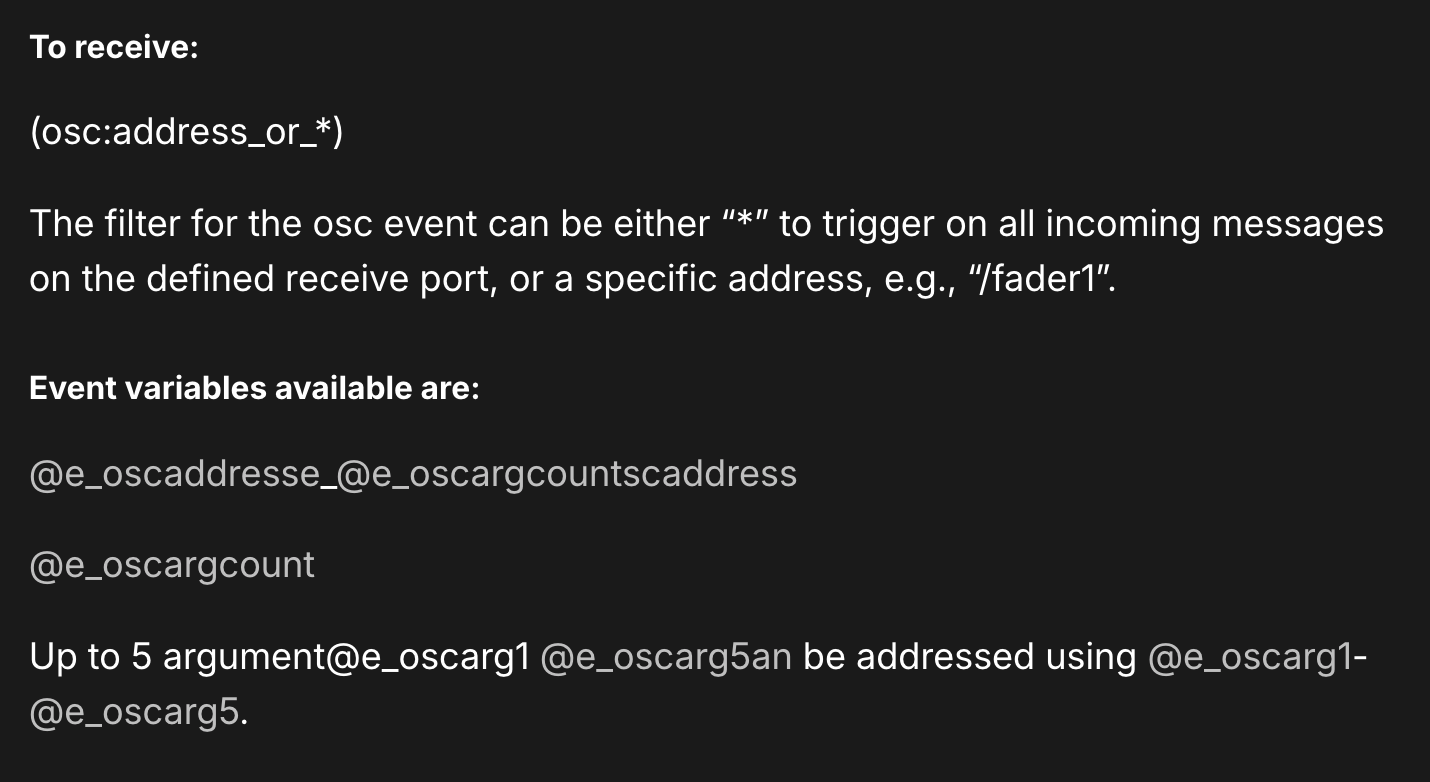
The event variables seems to be wrongly shown at the end of this post:
Event variables
It would be handy to have event variables for the path segments of the address.
For instance, the following message from Totalmix protocol means that the fader of the input channel 1 routed to the output channel 1 is set to the maximum:
/mix/in/0/0/faderlin,1
The first zero is the input channel 1, the second zero is the first output channel and the argument 1 means the position of the fader (can be0 to 1)
Totalmix has a lot of input channels, playback channels and output channels. It would be very handy something like this:
[(osc1:/mix/in/*/*/faderlin) {@e_oscsegment1:@inCh}{@e_oscsegment2:@outCh} {@e_oscarg1:@faderPosition}]
[(osc1:/mix/pb/*/*/faderlin) {@e_oscsegment1:@pbCh}{@e_oscsegment2:@outCh} {@e_oscarg1:@faderPosition}]
So the @e_oscsegment1 saves the first '*' and the @e_oscsegment2 saves the second ‘*’
Last comment: I think the “osc” term in the name of the event variables is redundant and it makes the name too long. It is like write “midi” at the beginning of all midi event vars. I would propose to make them short:
@e_address
@e_argcount
@e_segcount
@e_arg1 - @e_arg5
@e_seg1 - @e_seg5
Thanks for the feedback.
Even though keeping the number of scripts that need to be handled for each message to a minimum is a good thing (or a necessity, rather), I don’t think having different rules for background and foreground scripts is the right way to go. It’s the same script engine for all scripts, so different rules complicate things.
I’m looking at a model where I save information about OSC references as I parse the script, so finding the scripts that need to be invoked for a message can be very quick.
I like the idea of removing the “.send” from the osc actions.
I don’t like the disconnect/reconnect behavior. Are we moving away from the principle that scripts can register when they want to connect, and back to the idea that they can register when they don’t want to be connected? I’d rather see a solution where scripts are always connected, and you use a multi-event command with a variable to determine whether the command should be executed. The performance hit of that solution (compared to being disconnected) is probably so low it doesn’t matter.
I agree that “osc” can be removed from event variables, and I like the idea of having variables for the address segments.
I don’t understand what do you mean in this paragraph.
Anyway, let me emphasize that what I have been recommending you is just to not implement a design where osc connections can AUTO-DISCONNECT. That’s the point, the automatic disconnection.
In the other hand, manual connection and manual disconnection are necessary for users.
I think that giving this on-demand reconnect and disconnect in the scripts would be quite powerful for professional users. And it is easy to understand.
It is fine if you do not implement these actions in upcoming versions. However, I think it would be good to keep them in mind for the future. Perhaps, after some time, you might find them interesting enough to implement.
In any case, I think you need to allow the users to disable any OSC connection manually (otherwise, the only option to free up the connected ports would be to power-off the Stream Deck).
I have implemented a global settings page where you can define up to 8 OSC connections, each with an IP address, target, receive and send ports, and a checkbox to enable or disable the connection (i.e., lock or free the ports).
Users have full control over the connection states on the global settings page, but not in the scripts.
Auto-disconnect is history. Connections are activated (if enabled on the admin page) when the plugin starts and disconnected when the plugin unloads. Scripts with osc events and actions are always connected to the osc controller. Whether that means they are connected to the ports depends on the enabled checkbox on the admin page.
Scripts will have (oscX:) events to receive messages and {oscX:} actions to send messages; nothing more.
No, I don’t understand that at all.
Excellent! 
My sentence “And it is easy to understand” was refered to the names of the actions. I was saying that the words {disconnect} and {reconnect} are easy to understand. Reading it again, it is not very well written… 
So, are you saying that you don’t understand why both actions can be useful for professional users in the scripts?
Yes, since you can easily achieve the same result with a multi-event command, I cannot see what it will add.