Hello. Fun product. I have some knobs set up and working great for my RME Total Mix.
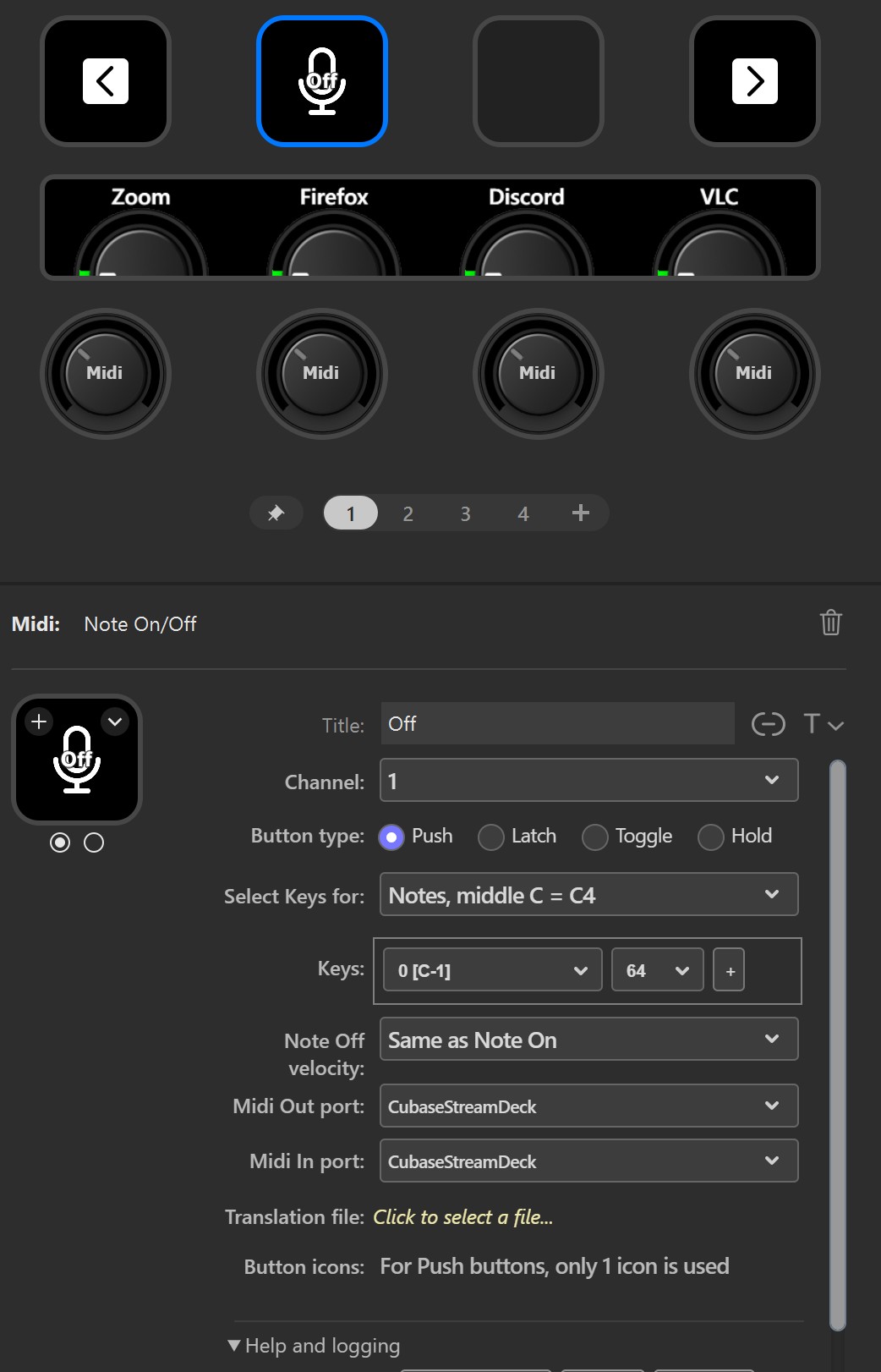
In Cubase I want to have a dual icon button for muting a microphone. I have set up a Note on/off button. Push works great, but no dual icon button. Latch, Toggle, and Hold can get the icon’s second state but the button does not perform as expected.
I tried to read the documentation, but this terminology is a bit too much for me. I’m hoping there’s a solution that can be explained for my particular task.
I’m trying to trigger the Monitor Button on my Microphone track in Cubase and want the icon on the stream deck to tell me if I’m muted or not.
I would suggest using Mackie Control instead, where the Mute function is preconfigured. If you do, please note that the Mackie Control protocol requires its own set of MIDI ports; you cannot use the same ports as other functions.
Looking at this again, I’m confused about what you are trying to do, and I see some odd things in your configuration.
You say you want to “trigger the Monitor Button on my Microphone track in Cubase and want the icon on the stream deck to tell me if I’m muted or not.” But Monitor and Mute are two different things, so which one are you trying to control?
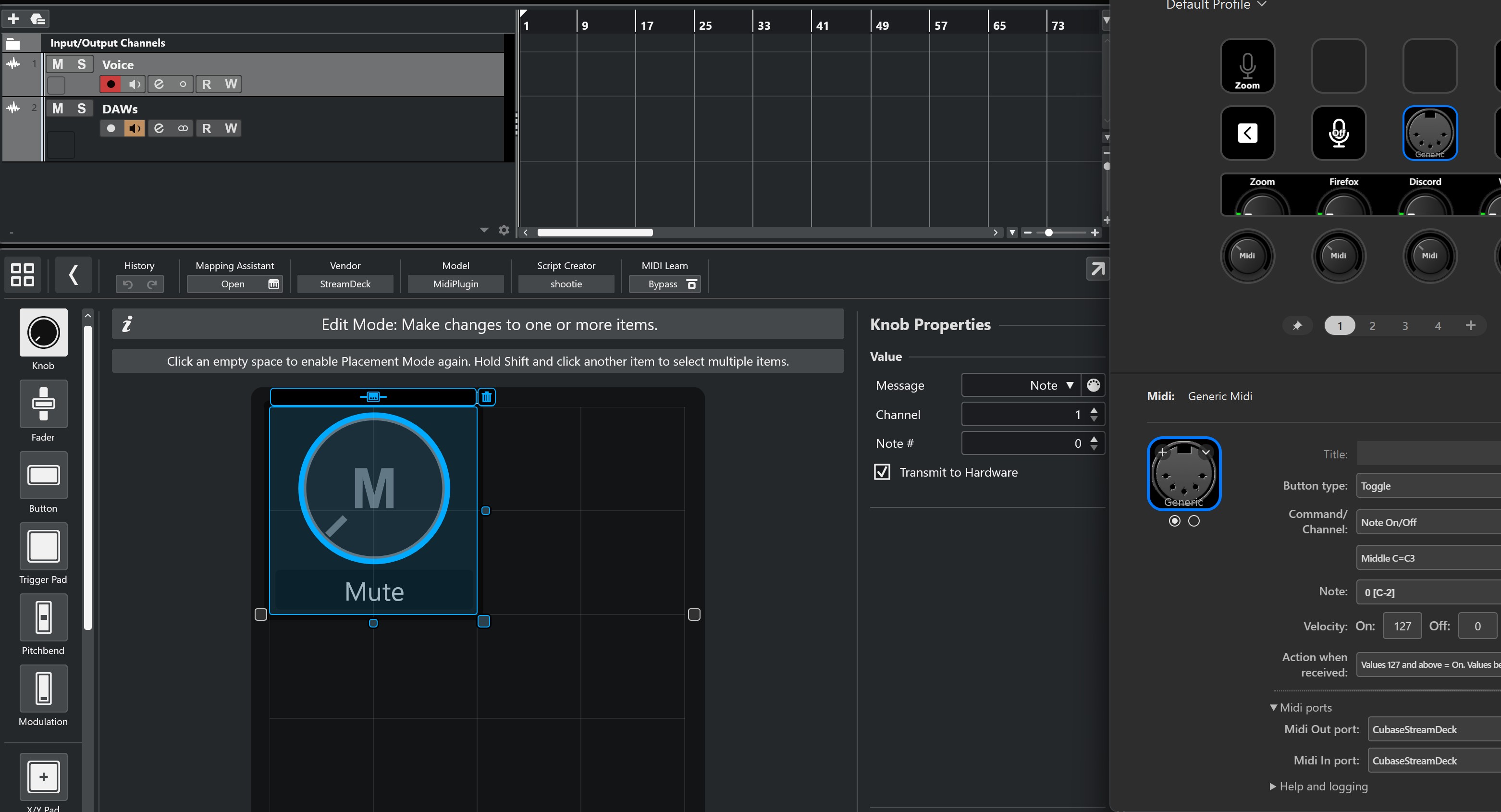
I recommend using the Generic Midi button instead of the legacy Note On/Off button. With the Generic Midi button, you can do the same things and more, and you are future-proof (Note On/Off is no longer maintained).
If you want to control and see two states, you should use the Toggle function, not the Push function, in the plugin.
You don’t say how you have created the MIDI ports, but if you use loopMIDI, you create a feedback loop by using the same port as both the input and the output. You need one port from Stream Deck to Cubase and another from Cubase to Stream Deck.
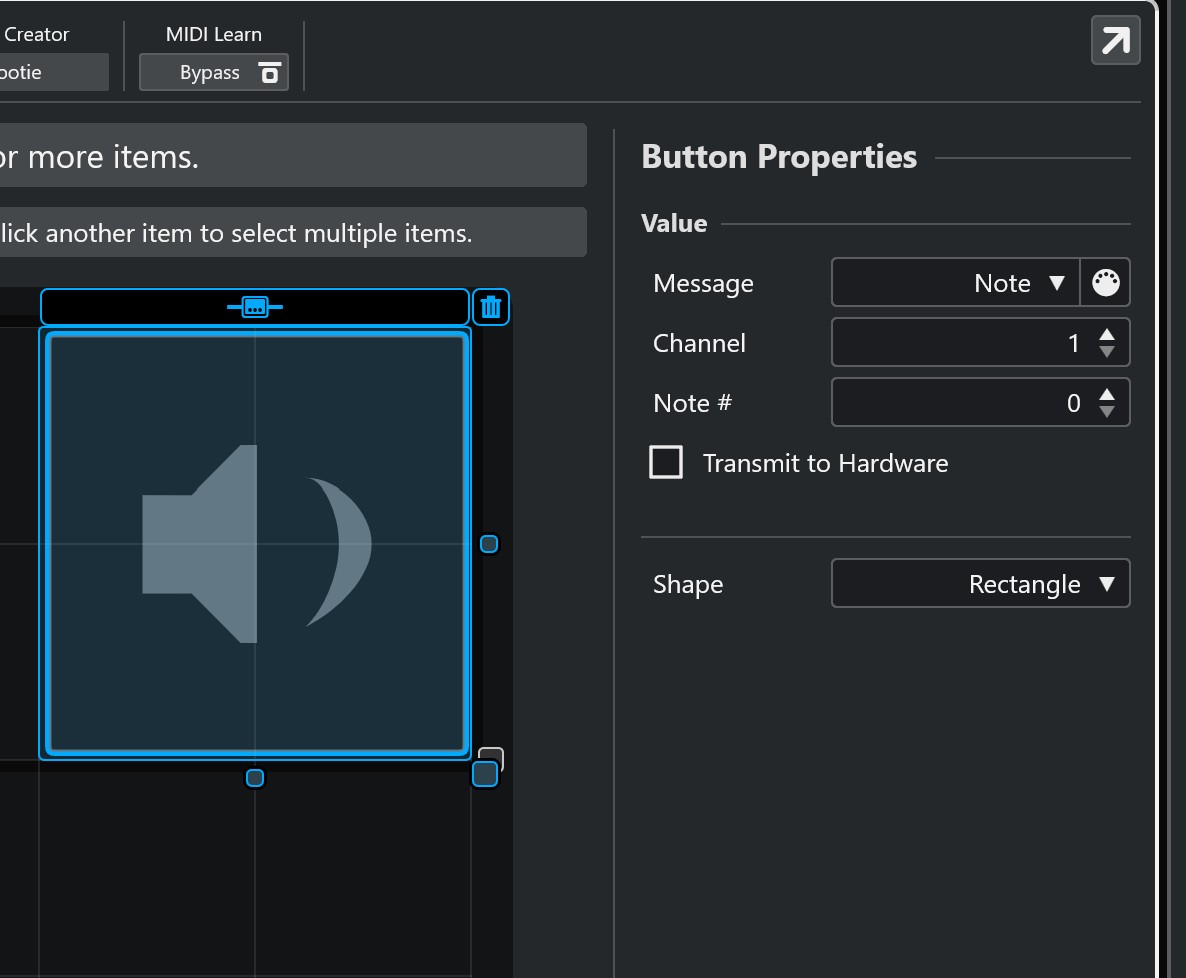
If you use the MIDI remote in Cubase and want Cubase to send the current state of the controls, you must check the “Transmit to Hardware” checkbox; otherwise, Cubase sends nothing.
I don’t believe I was using any of your Legacy knobs. It did not say “(Legacy)”.
Mute is just as good as monitor. It doesn’t matter. Let’s say mute. (Cubase isn’t my main DAW so a little unfamiliar)
I am using MidiLoop, fyi.
With the current button I have, selecting “Transmit to Hardware” shows very buggy behavior.
I tried the generic midi button. Two icon states, great! It just won’t transmit perfectly. Sometimes I need to hit the streamdeck button 5 times to get it to work once.
If you see anything that is noteworthy please let me know. Thanks for your response.
You are correct, and sorry. The Note On/Off isn’t marked as legacy, even though it is in my mind. It has a single function (playing chords) that the Generic Midi button can’t do unless you script it. That’s why I hadn’t put the legacy stamp on it. But unless you are trying to send chords, I still recommend using the Generic Midi button.
As long as you have the same midi port as both input and output, you will never get this to work. As I mentioned, this creates a feedback loop that ruins everything.
If you are familiar with old-fashioned physical MIDI cables, your configuration is like taking a MIDI cable, connecting it to the MIDI Out on a synth, and then connecting the other end of the cable to the MIDI In on the same synth. It simply does not work. You need two cables, i.e., two Midi ports, and use one port for the Stream Deck-to-Cubase transport and another for the Cubase-to-Stream Deck transport.
And if you want to control the mute mode in Cubase, I suggest focusing on Mute, since Monitor has the opposite function. Mute enables or disables the track from being sent to the output, while Monitor enables or disables the track from listening to the input.
Getting rid of the feedback loop worked. But it’s not working after restart. There’s something up with cubase or it’s user error. It must be my ignorance of Cubase. I will try again later. Thanks so much!