Hello,
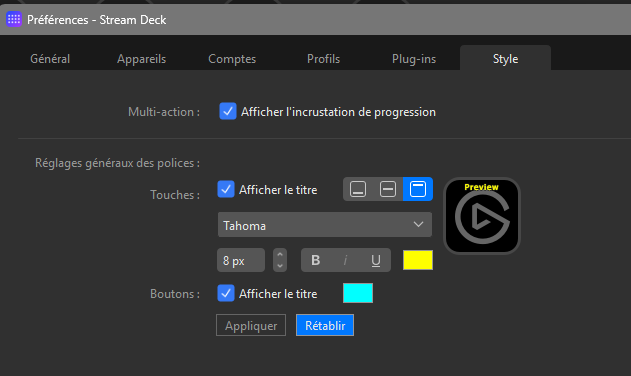
I have the impression that when setting a default title style (ex. Color or text vertical alignment) in the StreamDeck Application (Preferences / Style), it is not applied when i create a new button.
Am I correct ? (Could be an Elgato bug, maybe)
Thanks in advance for you explanations.
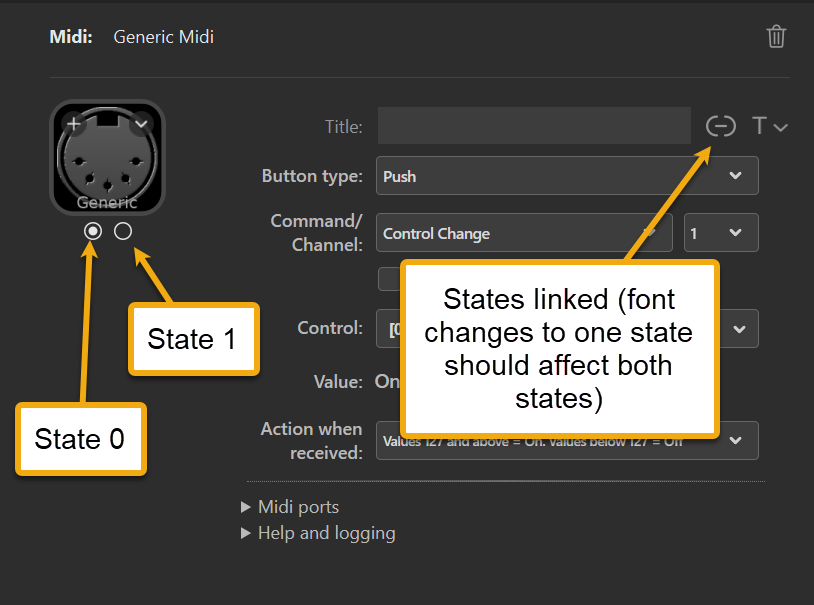
Elgato has confirmed there’s a bug in the Stream Deck software in which font settings set to state 1 are applied only to state 0 when font parameters are linked.
If that is not the situation you are referring to, please provide an example of what you mean.
what are state 0 and state 1 ?
I have this set-up, in the Streamdeck App.
Now if i create an empty, page, add a scripted button with the following code :
function OnInit()
{
ui.title("MyTitle");
ui.text("MyText");
}
and run OnInit(), this is what I get :
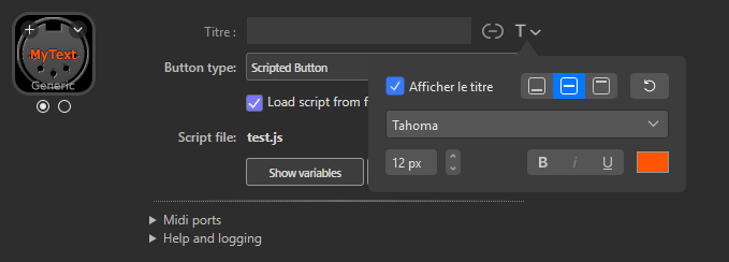
Is it normal ?
On the occasion i’d also like to know why the Title is not shown .
No, and I cannot reproduce it. Please catch the situation in a log file.
Only the fader buttons have a Title field.
After :
dropping a generic midi to a button
- setting the type to “Scripting button”
- pointing to my test scrit
- running the Oninit() from the button in the PI
Log: 743d8a9f-8d4d-46c3-a4d8-c091b75dd368
Neither the plugin log nor the Stream Deck log contains any entries related to fonts.
When the OnInit function is called, the plugin makes a single call to the Stream Deck software, and that call contains only the text string, nothing more.
Are the global style settings in the Stream Deck Preferences involved in any way? I don’t know how they affect this.
Well I don’t know either 
I just wanted to report that these global style settings are ignored, which seems a bug to me.
The question is: have you changed the global style settings?
No, they were set before i created the button.
No, I mean: If you have changed the default style settings in the Stream Deck software, are those the settings that are enforced on your button?