Hi! I wasn’t able to get my stream deck working with Cubase 13 after the midi update. Ill attach images to make this easier to understand.
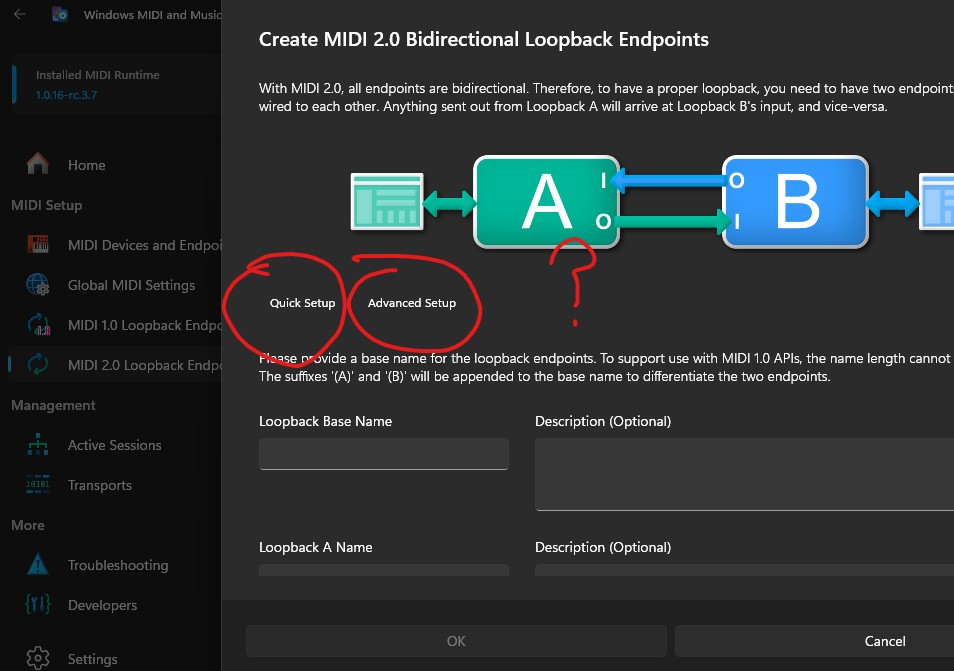
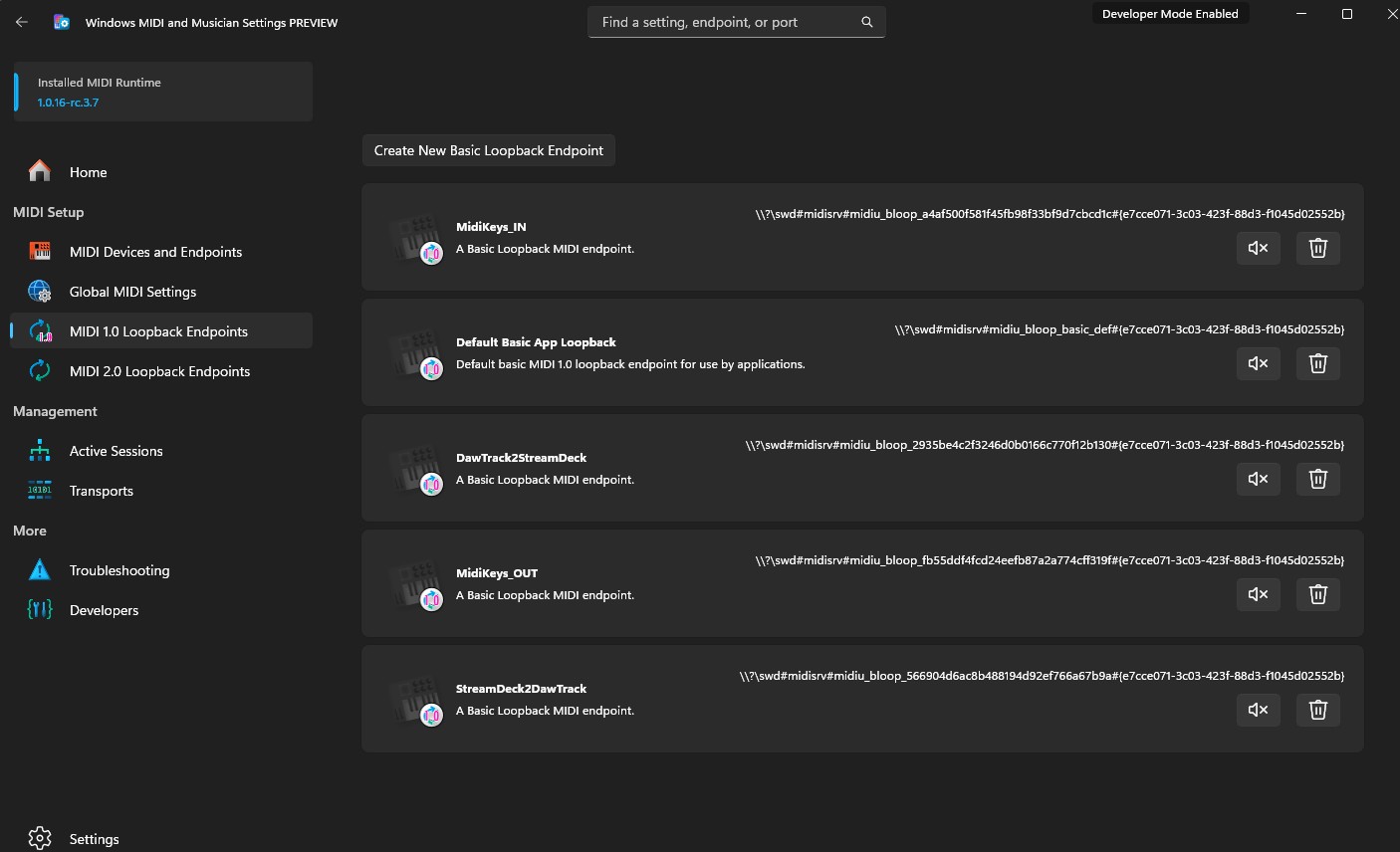
First question: I’m using the new windows MIDI tool, downloaded and followed Trevliga’s guide, but the app looks different already than his tutorial. Do I click “Create a loopback endpoint so two or more applications can communicate using MIDI messages” to create a new port? And do I use the “quick set up” option or the “advanced set up” option which don’t appear in Trevliga’s tutorial blog.
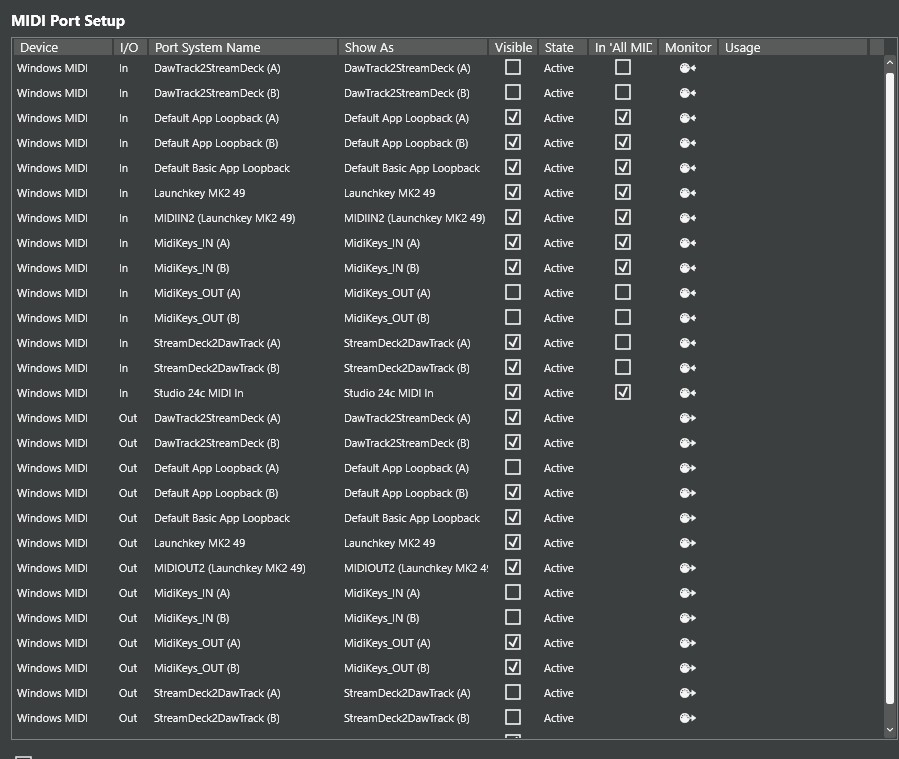
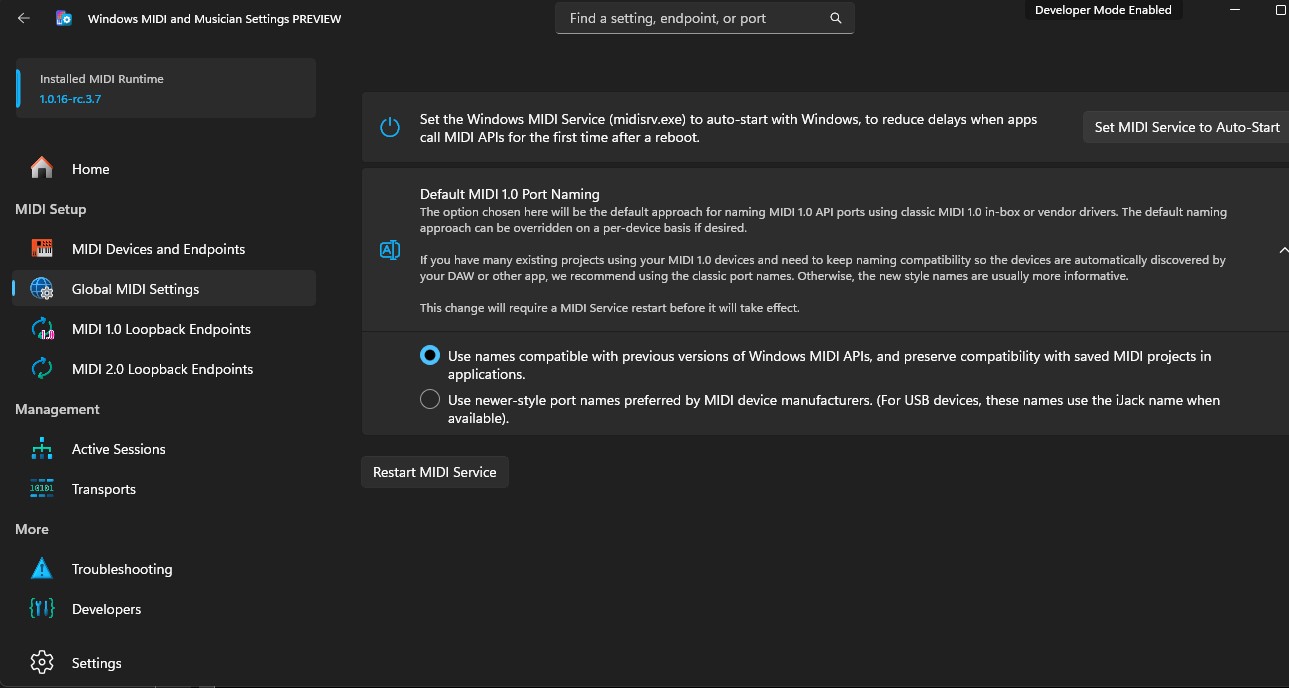
Second question: I used loopmidi before and had ports created with the same names. I uninstalled the app before downloading the windows Midi tool. Do I need to delete the (A) or (B) ports that appear in my Cubase port set up? Do i need to follow the check/uncheck procedure for both or just (A) or (B)? Do I need to do anything with the “Default App Loopback (A) and (B)?” Furthermore, should I use the “default Midi 1.0 port naming” that Windows recommends?
I don’t understand how the setup tool looks different. You have dark skin, and I have light skin in the tutorial, but I can’t see any other differences.
My guess is that you have created the “wrong” kind of ports, and that’s why you see a different look. If your goal is to replace the loopMIDI ports without needing to reconfigure all the plugin buttons and dials, I recommend (as shown in the tutorial) that you create MIDI 1.0 ports.
I can see in your screenshots that you have created MIDI 2.0 ports. These ports are bidirectional and require substantial reconfiguration in both the plugin and Cubase. The port names you have will also be confusing when using MIDI 2.0 ports, since these ports are bidirectional and support both input and output at the same time; they do not exhibit the unidirectional behavior of loopMIDI and MIDI 1.0 ports.
My recommendation is to delete all ports you have created in the Setup tool and restart.
Either you create MIDI 1.0 ports as described in the tutorial, with the same names as the old loopMIDI ports. This way, you can keep the port configuration untouched in the plugin and Cubase.
Or you create MIDI 2.0 ports with port names without direction. This requires you to reconfigure the port settings for all Stream Deck buttons and dials, as well as in Cubase. My current recommendation for port names is to use, e.g., “StreamDeck_Daw” (without the 2, which indicates direction), and connect “StreamDeck_Daw (A)” as both input and output for the plugin, and “StreamDeck_Daw (B)” as both input and output for the DAW.
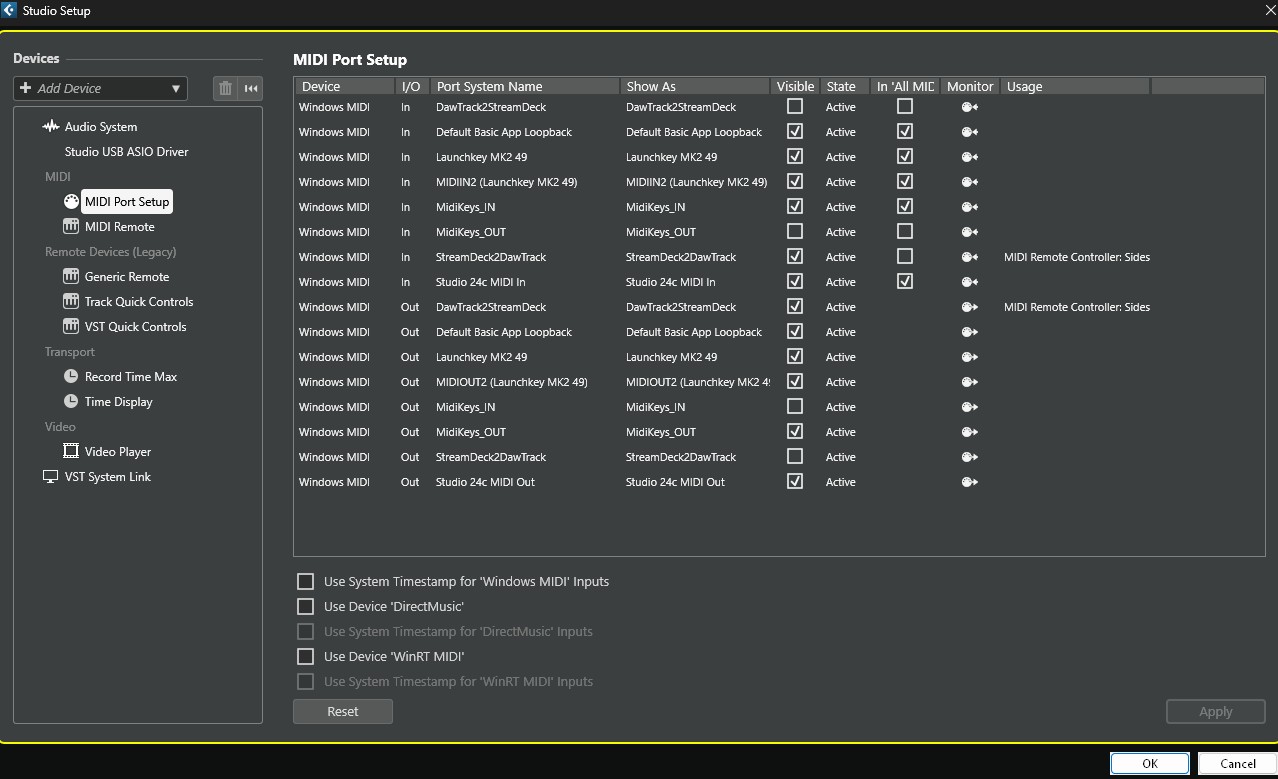
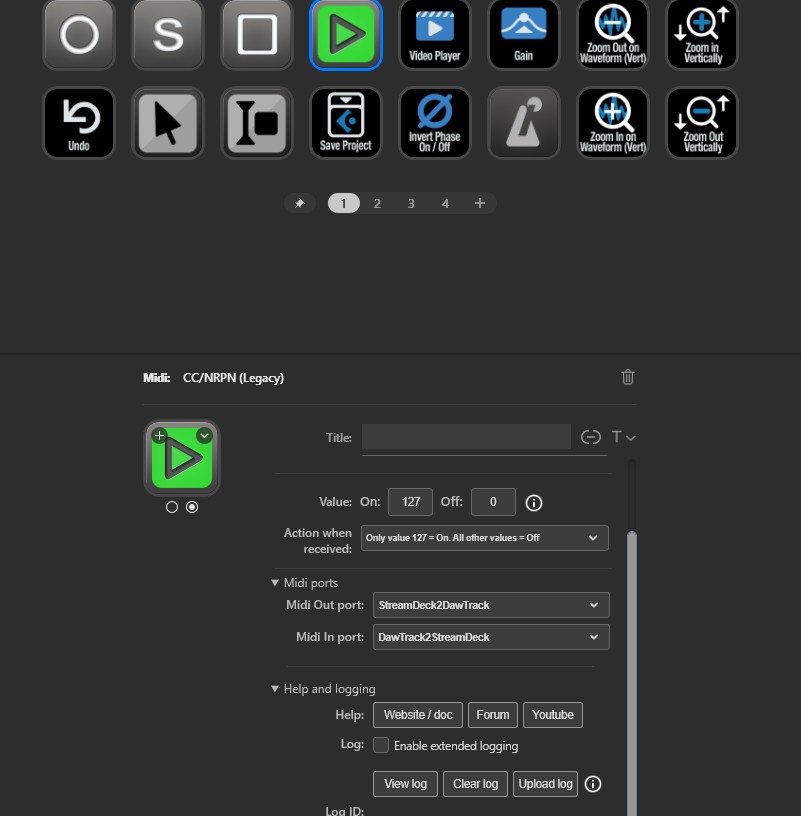
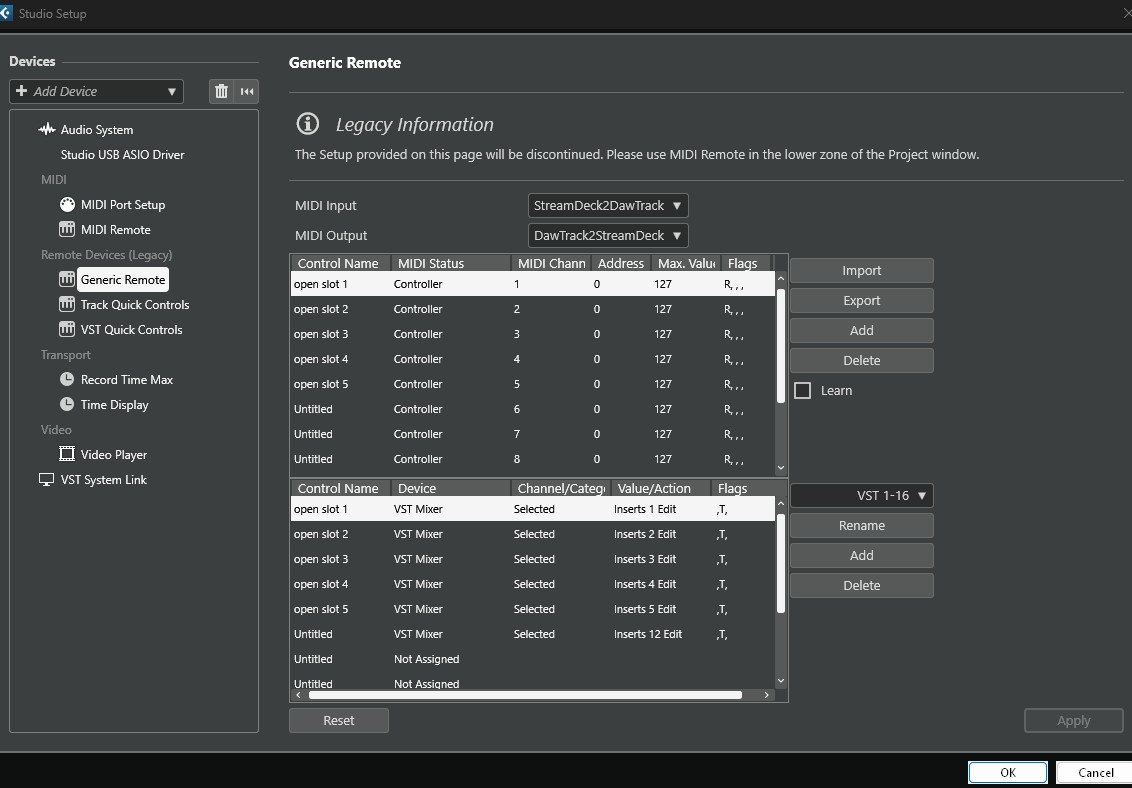
I am no longer getting the error triangle when I press a button on my streamdeck, but am still unable to use the actual buttons. I fixed the ports to 1.0, reconfirmed they were entered correctly, and then tried again after restarting everything. I will attach screenshots of where the issue might be for you to diagnose.
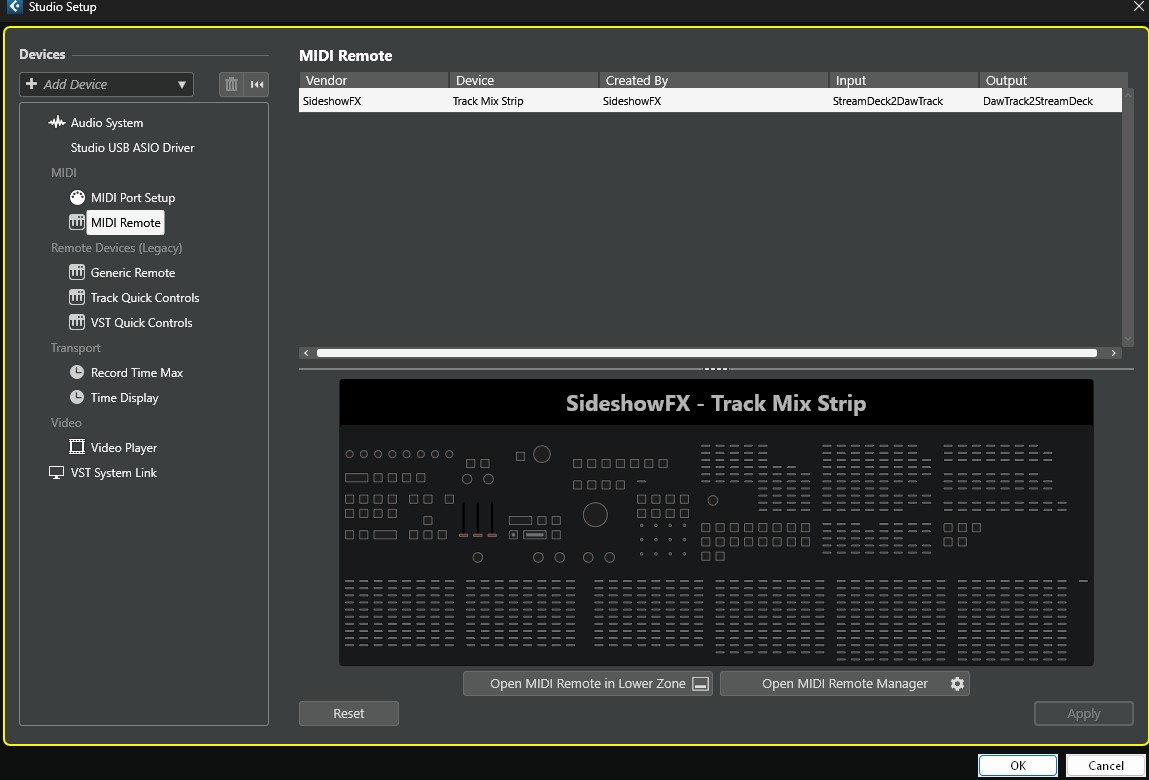
You show many images, but I don’t know how things are supposed to be configured. You have port names that, if you follow my naming recommendations, are supposed to go to tracks but end up in the Generic Remote. You show an image of the MIDI Remote, which I don’t understand how it fits into this scenario.
Please follow the procedure in the last item on the FAQ page to create and upload a log file (please press the upload button, don’t attach the log file here). That way, I get hard evidence of what’s going on in the plugin and can provide better support.
I think John is referring to the installation and the MIDI ports used in the SideshowFX Cubase profile, specifically StreamDeck2DawTrack, DawTrack2StreamDeck, MidiKeys_IN, and MidiKeys_OUT, which are used by our MIDI Remote Script.
And yes, since the MIDI plugin is based on the MIDI 1.0 standard, you need to install and use the MIDI 1.0 tools, not MIDI 2.0 when adding loopback endpoint.
Also, with the newer Windows update, the Windows MIDI Service app is no longer required. You only need to install the Windows MIDI Stack Driver, then reinstall loopMIDI, and it should work properly.