this is my first post, so please apologise if I should have missed something regarding forum rules or something else.
I experience a strange behaviour using the scripted button option of generic midi or the legacy midi script: Sometimes even without using copy and paste of buttons beforehand when I reopen a scripted button, it’s content had been replaced by another scripted button’s content.
It is very often the case (but not limited to) in conjunction with key logic elements.
I have tried everything from strictly avoiding copy and paste mechanisms, duplicating pages etc, but the behaviour continues uncontrollable and without a specific actions workflow (as I am a IT professional I tried to reproduce an exact workflow, where that happens but was not able to isolate it).
The only thing that helps (but only for a short moment) is restarting the stream deck software.
Has anyone else made the same experience or I am the only one so far and is there any solution or workaround, that I might have missed?
If it weren’t for the annoying fact that you’re experiencing this issue, I’d say it’s impossible. The Stream Deck software keeps each button isolated from everything else, so I find it highly unlikely that the plugin itself could cause such an issue.
Please provide some more details. Are you on Mac or Windows? What version of the Stream Deck software are you using? What do you mean by “scripted button’s content”? Is it only the script text field, or the complete configuration?
I suggest you turn on extended logging and keep it running while it happens. Then upload the log file using the upload button (do not attach it to a post) and post the log ID.
My exact SD software version is 7.5.0 (22885). Firmware on the XL Decks is version 1.01.000, and 2.0.3.7 on the SD+ decks.
My streamdecks are running on Windows 11. I have four of them (2x XL and 2x SD+) which - together with a Roland Fantom 8 keyboard - are the hardware setup of my performance and free-play oriented DAW configuration.
The problem with replacing script content only occurs within script edit field itself, and - sometimes, but not always - also the image ist replaced by the image of the button, that contains that script. And this happens even without any copy and paste that I try to avoid due to that issue, but that does not help.
What I did not mention in the first post is, that even when I start a button configuration by dragging the generic midi element of your plugin from the side bar and set it’s configuration to scripted button, it sometimes does not appear with a blank edit field, but with the content of a script I placed earlier in the edit of another scripted button.
Okay - now it happened again:
On the first page of the profile is a key logic, where the content of “single press” shoud have been (and once was) [(press) {cc:15,100,5} {cc:15,101,0} {cc:15,102,0} {cc:15,12,90} ]
Now reopening the button config I find this script, which belongs to another key logic single press midi button on another page of the profile (and the other two scripts in the key logic have also been replaced with the rspective contents of the same other key logic element, no copy paste of the key logic element was involved before) : [(press) {cc:15,1,6} {cc:15,2,80} {cc:15,3,0} {cc:15,4,43} {cc:15,0,50} ]
No - it happens anywhere occasionally. Mostly when used within key logic but also on buttons that hold just a scripted midi element.
I still think that my observation that sometimes even dragging a fresh generic midi element from the sidebar onto a profile button and setting it to scripted button is showing a content instead of an empty edit field might be a hint what happens?
To be honest, I think you need to contact Elgato support. I still maintain that this should not be possible, especially with a fresh button from the sideline. I know there was a bug in the Stream Deck software earlier where a button could “inherit” whatever was loaded in that position earlier; maybe that bug has reappeared.
If the Stream Deck software worked as it should, it would be impossible for a new button to be in any state other than the expected initial state.
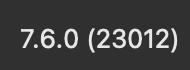
7.6 does not seem to fix it. I contacted the Elgato Support now, and will keep you informed what they might find… (hopefully not: trevligaspel is to resolve it
Thanks so far for your fast and responsive support up to now, very appreciated!
 The Stream Deck software keeps each button isolated from everything else, so I find it highly unlikely that the plugin itself could cause such an issue.