I see that the disconnect event passes the device id, not the device name. I should fix that, but it will be a breaking change since the same information is used from midiScript.
Every device has a unique ID used only internally. What you (should) receive in the events is the device name, i.e., the name you have assigned to the device in the Stream Deck settings.
If you assign the same name to two devices, you cannot distinguish between them in the event handler. But the ID wouldn’t help either, since it isn’t displayed anywhere, so you don’t know which device it represents.
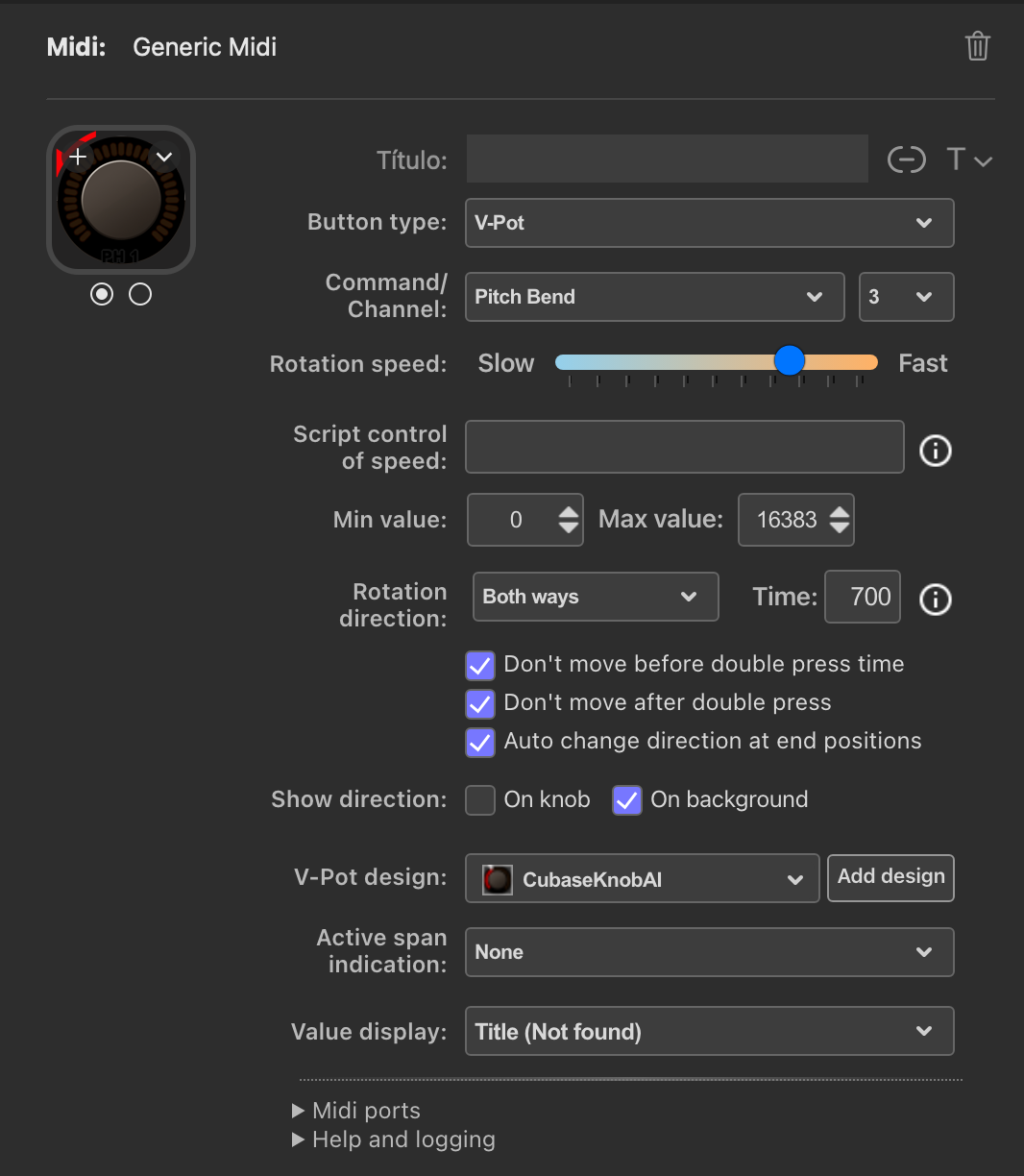
The title option is explicitly coded to be available only for faders. If you have a fader selected with the title options enabled and then switch to something else, you will see “Title (Not Found)” displayed.
It’s not only the dropdown option that is “missing”; there’s no code to handle the title field for anything other than faders.
I don’t remember why it’s designed this way, and I have way too many other things to take care of to get this version released, so this issue will get low priority.
I have been able to reproduce the issue. It’s a timing issue between the HTML frontend and the C# backend that occurs in a very specific case where the dial is selected before you paste a copy into it.
I’m not sure how to fix it, but at least I now understand what the problem is.
It is a catch-22 timing situation that is very tricky to address, and it is a very specific situation that is easy to avoid. To trigger the issue, all of the following are required:
Create a scripted dial.
Add an OnInit() or (init) command.
Add at least one action in the OnInit/init command that makes a change to an editor parameter, e.g., minmax.
Copy that source dial.
Select the target dial (important!)
Paste the copied source dial to the selected target dial.
If any of the above is not fulfilled, there is no issue. It is very easy to avoid the issue either by NOT selecting the target dial before pasting the source there, or by quickly unselecting and reselecting the target dial in the editor after the paste.
In summary :
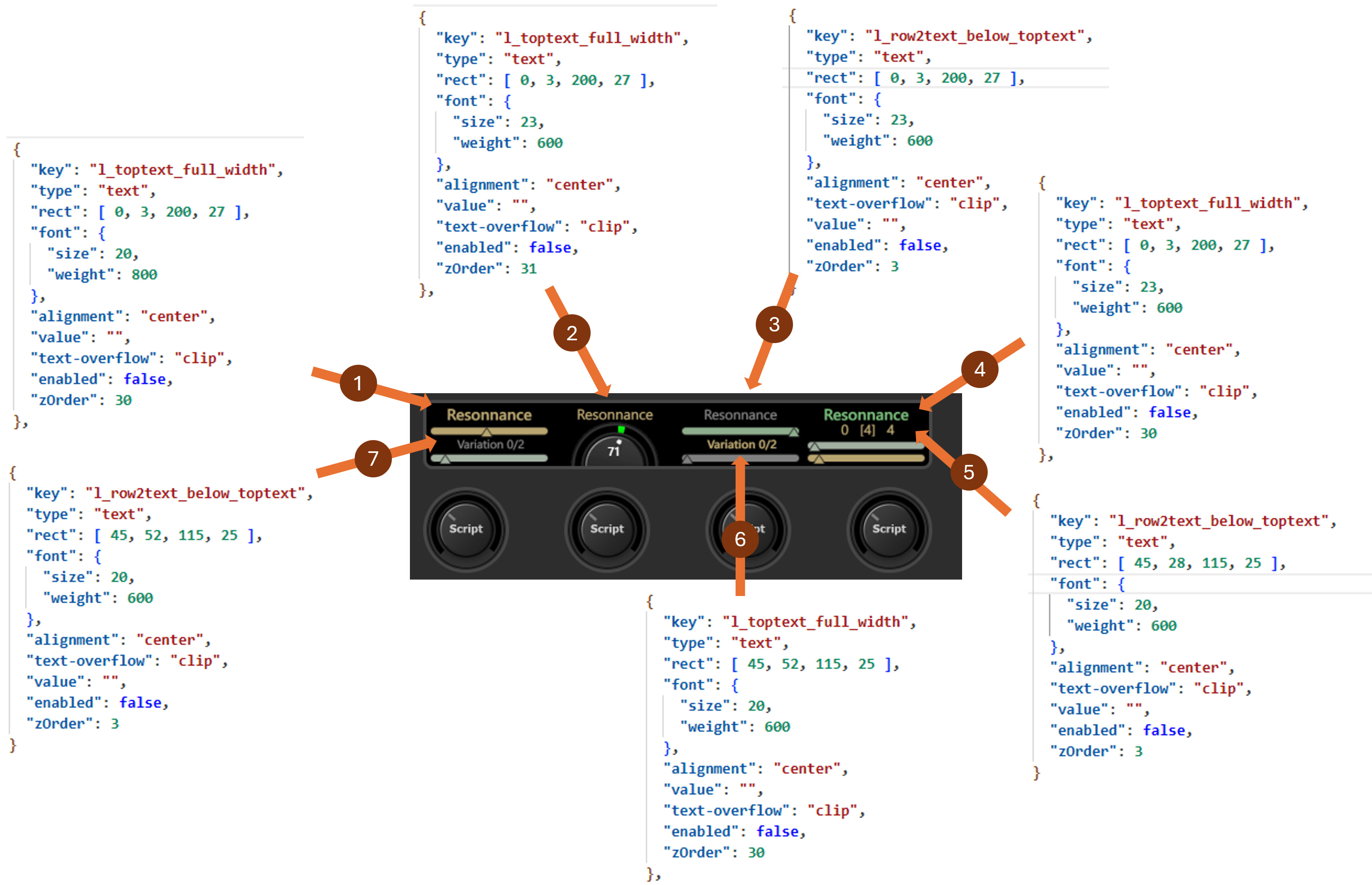
1, 2 and 3 should be identical, they are not
5, 6 and 7 should be identical, they are not
Some of them a bold and some not, for a reason I don’t understand.
I have also noticed that Changing the font size and weight in the layout files has almost no effect.
Log ID : 504fcd6e-e3cf-43bd-9e2f-4011f4fd7ba5
I’ve also seen that they are some “strange” calculations in the log regarding font sizes and available spaces. What is the logic ?
… and is the a way to have those fonts and text sizes identical ?
Thanks for your hard work.
Font size and weight in the layout file are mostly ignored. The plugin adjusts the font size so the text fits in the available space. Font weight is somewhat random (obviously). Once upon a time, I found that in some color combinations (text/background), the text needed to be bold to stand out better. So the text weight is calculated based on the colors, in a way that probably seemed logical at the time, but I can no longer explain it.
These weight calculations were made during the button-only era and were carried over to the dials, obviously not consistently, and probably not even necessary.
The logic behind font sizing is to ask the graphical subsystem how much space the text will require. A loop starts with the largest available font size (available in the editor text popup) and reduces the font size step by step until the text fits within the rect defined for the text. The calculation isn’t exact; there are edge cases where characters may be partially outside the rect to avoid further reducing the text.
With scripted dials, yes. Font size and weight set in a script always take precedence, and the automatic calculations are ignored. For other dials, unfortunately, not.
So I thought,
maybe the calculation could be ignored with a dedicated keyword in the advanced preferences
Or
I could use my own fied names with a corresponding entry in the layouts.
The issue with font size and weight not being applied when set from JavaScript is fixed.
There is now a “Run init” button in script actions.
The number of global ports is now configurable. Please report any issues you see during the transition from a fixed number of ports to a configurable number of ports.
There are now script actions for setting MIDI ports.
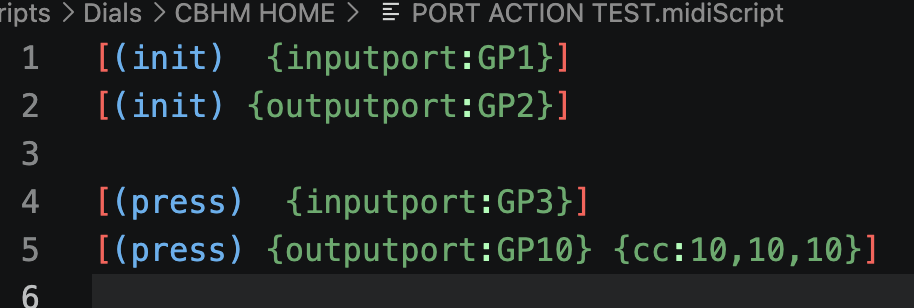
midiScript: {inputport:GPx} {outputport:GPx}
JavaScript: midi.inputport(“GPx”); midi.outputport(“GPx”);
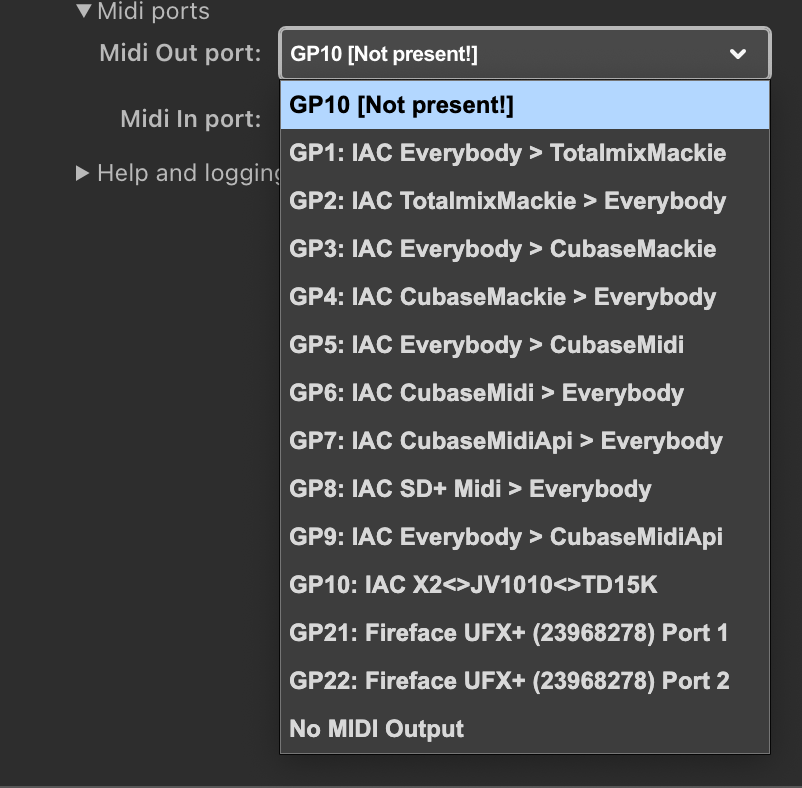
x = port number, 1-30 (or whatever max port you have set). If the port number is set to a “Not used” global port, it will be listed as “Not present” in the port list, since unused global ports are not present there.
…and as normal, probably a bunch of other things I have forgotten about…
The “Run Init“ button works like a charm. This is a button to save time when testing changes in the actions of the (init) event, but the confirmation dialog slows down the workflow. I would propose to keep the dialog but with a “Don’t show this confirmation again“ checkbox, or just remove it.
I have tested the new option of changing the qty of ports and it works perfectly. This is great. I have tested if the new added global ports (GP20-GP21-GP22) can send and receive midi messages and they are working as expected.
ISSUE 1
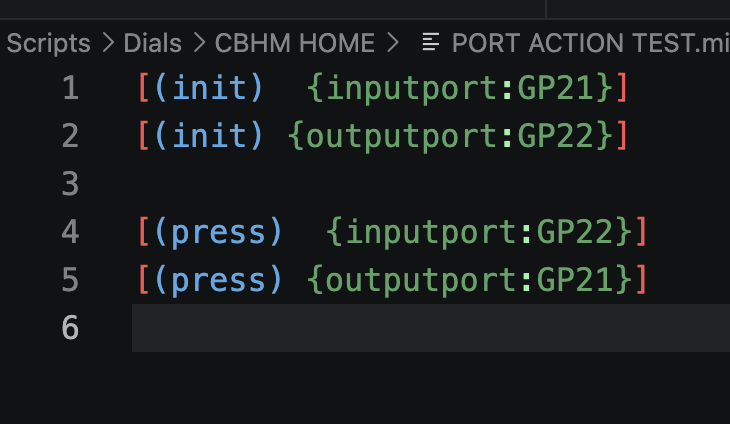
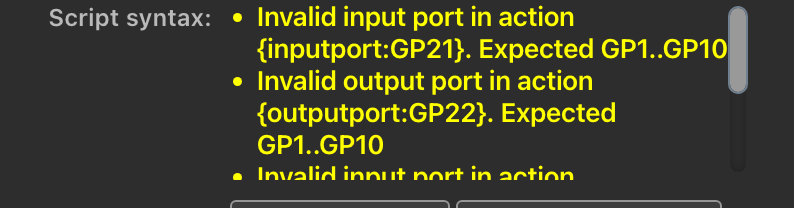
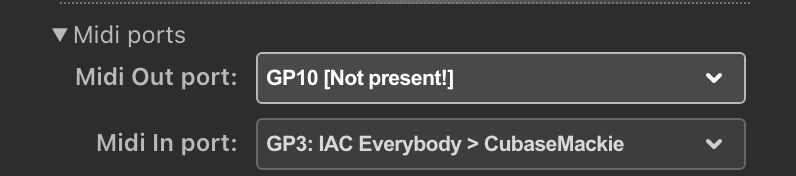
The actions for changing ports are giving errors when you want to use ports higher than 10:
ISSUE 2
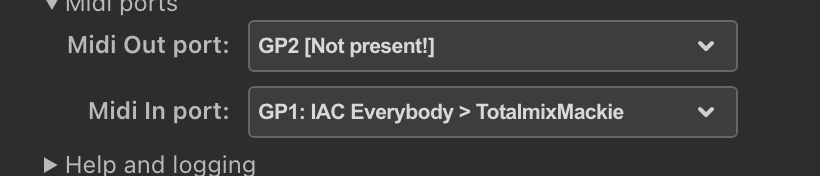
The {inputoport:GPx} action works as expected if you use GP1-GP10. There were no problems in the first tests.
But the {outputport:GPx} action is not working even you use GP1-GP10. It always shows the global port as not present in the editor. It is not only a cosmetic issue. It is not sending any midi message: